
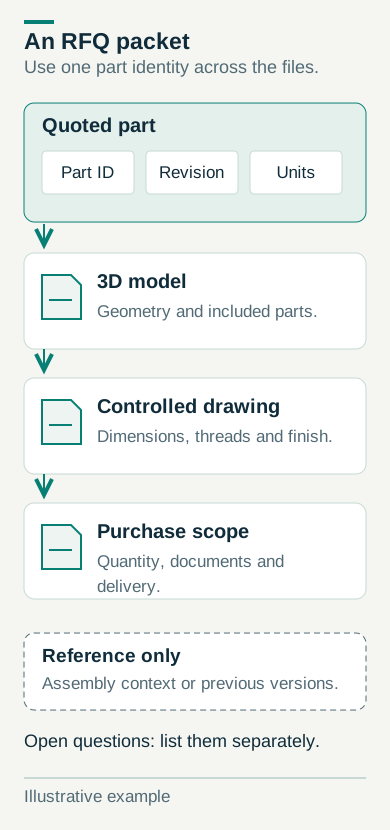
Identify the part and its revision
Assign a part number, name and revision to each item. Use the same identifiers in the request, model and drawing, and state whether the dimensions use inches or millimeters. Label an older revision supplied for context as reference only.
For an assembly, list the individual components and quantities you want quoted. A reference view can explain where parts fit without placing every component in the purchasing scope.
Material, finish and functional features
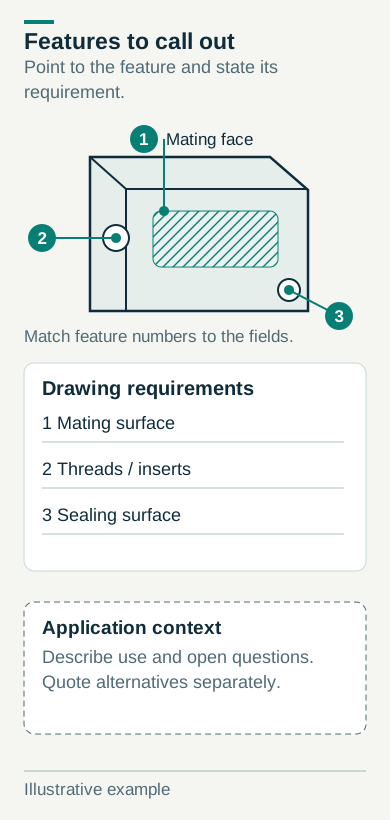
Include the required material and finish, then identify mating surfaces, threads, sealing areas and other functional features in the controlled definition. Operating conditions can explain the design context, but they do not replace dimensions, tolerances or other acceptance requirements.
If a material or feature is still under review, label it as an open question. Request an alternative as a separate option so the base quotation continues to describe the same part.
Quantity, delivery and required documents
List the quantity for the order and each additional price-break option. Separate forecasts from committed purchases. Include the requested delivery date and destination postal code; schedule and shipping assumptions need confirmation in the offer.
Name the inspection reports, material documents, packaging and markings required. State whether they apply to every delivery or an initial sample, and ask for their availability and inclusion to be confirmed.
Check the package before sending
Open the files and check their identifiers, revision and units. Remove unrelated versions, identify a technical contact and confirm the accepted formats. Arrange any special confidentiality conditions before sharing files.
Review the quotation against the submitted package. Record agreed process, material, finish, inspection and delivery terms with the accepted revision.
RFQ checklist
- Part number, revision and units
- Model, drawing and relevant assembly context
- Material, finish and functional requirements
- Order quantity and separately labeled forecasts
- Requested date, destination and documents
- Technical contact and open questions
Download the blank worksheet
List the parts, revisions, files and requirements for your request. The blank checklist includes a part list and a package check.
Keep completed worksheets private. The request form accepts CAD, PDF and ZIP files; you can use the worksheet to prepare a PDF summary.